
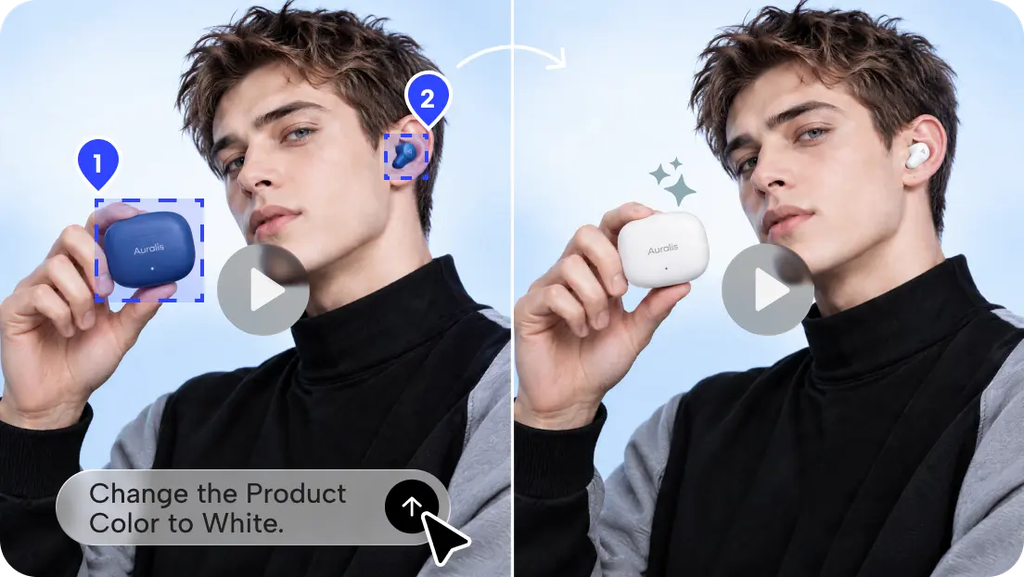
To effectively convey information, product animations require more than just visually pleasing elements. Each and every move, shift, and stop has an impact on viewers’ perception of a product. Elements that are placed in the wrong place at the wrong time can cause distractions or make it hard to recall important elements. An organized sequence will guide viewers through the information without causing them to be overwhelmed. Time and rhythm are thus important elements of animated product storytelling. They decide when features occur and how much time viewers need to comprehend them. Dreamina’s Motion Studio offers a hands-on space for developing and fine-tuning product animation graphics. Text prompts and visual references can be used for creating structured animations. This will help make product information a clear visual experience.
Understand the Difference Between Animation Timing and Visual Rhythm
Timing and rhythm are different things and yet go hand-in-hand. In an online motion studio, timing is the control of individual movements, and rhythm is the control of the overall flow of the animation. Timing determines when something will occur, move, pause, and vanish. For instance, if a product has a logo, it could be displayed before the product name and description. The purpose of each element should be communicated for an appropriate amount of time. The resulting visual rhythm is created by the combination of these individual movements, speeds, pauses, and transitions. A well-paced animation is visually organized and easy to follow. When it comes to product information, both principles are relevant. Coordinated timing provides for a well-planned introduction of features and a balanced rhythm to hold attention. Dreamina’s Motion Studio allows you to specify these behaviors using natural language instructions. This allows for a defined position of each product element in the presentation.

Structure Product Messages Around a Deliberate Animation Sequence
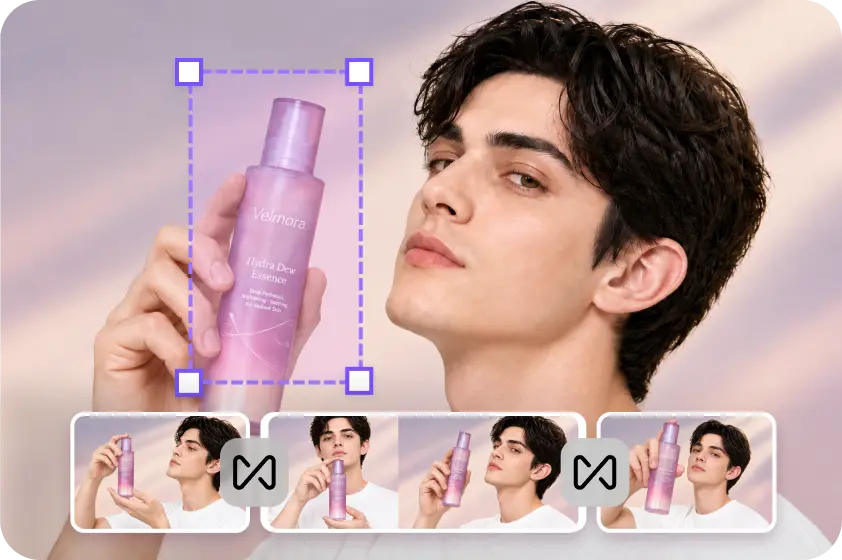
When information is presented in a planned sequence, a product animation is more easily understood. Begin with the product introduction, such as the product name, logo, or main image. This opening sets the context prior to viewing more information. Next, present significant features in the order of their importance. Graphics, labels, and numbers can help to explain each feature visually. Make the primary benefit of the product stand out. Conclude with a brand identity, web address, or promotional statement. When planning the animation, think in terms of this five-stage structure:
- Product Introduction: Give first the name of the product or the main picture.
- Feature Presentation: Present critical features in a logical order.
- Visual Explanation: Use graphics, labels, or numbers to explain individual features.
- Benefit Emphasis: Make sure that the primary benefit of the product is emphasized through deliberate movement.
- Closing Message: Make the brand identity or promotional statement clear.
This is a way of preventing other information from competing for attention. With this, Dreamina’s Motion Studio can sequence these elements with prompts that tell it when and which elements should appear next.
How Timing and Rhythm Shape a Product Message in Online Motion Studio
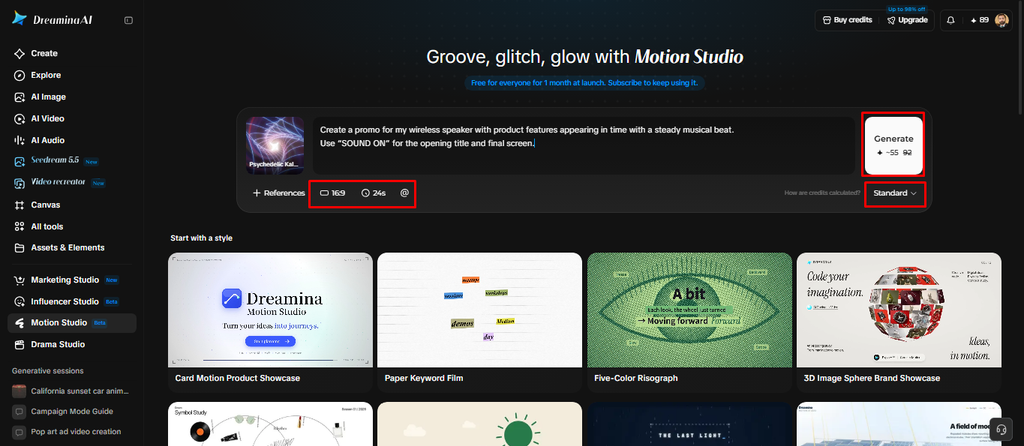
Step 1: Upload your pacing reference and describe the product message
- Sign up or log in to Dreamina so you can start shaping your product message.
- Click “Motion Studio” on the left bar to open the workspace where your timing begins.
- Select the “Style” option to pick a motion style that matches your product’s energy level.

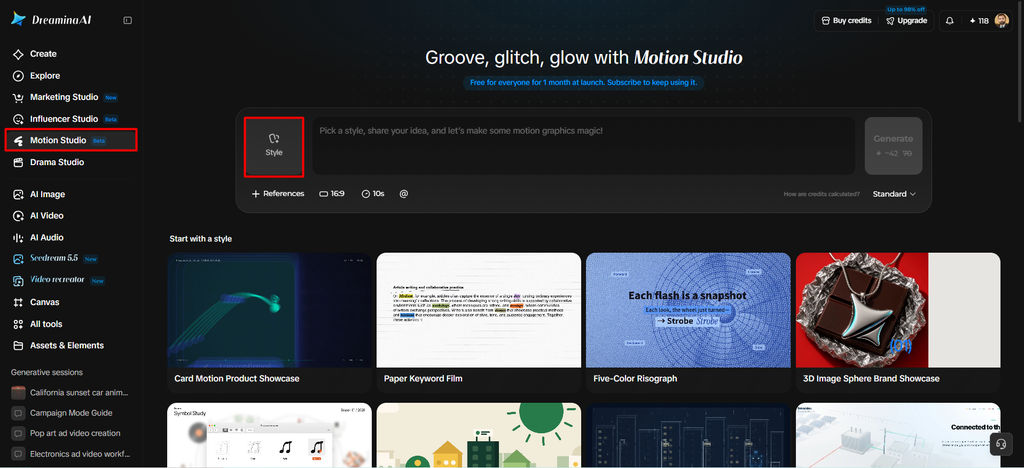
- Open the “References” tab to add a clip with the rhythm you want to copy. Upload it from your device, paste a link, or choose one from the assets library.
- Write a prompt about how your video should look and feel, and add custom direction. Mention beats, pauses, and the speed of each reveal so the rhythm always feels intentional.

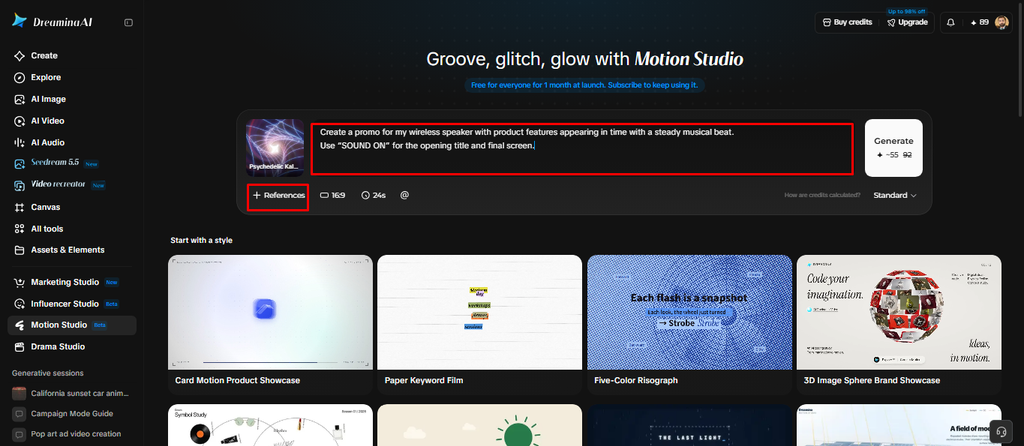
Step 2: Set the frame, length, and mode for the right rhythm
- Choose a custom aspect ratio from the “Aspect ratio” tab to match your delivery channel.
- Click the “Duration” tab to select a custom video length, since time shapes every beat.
- Use the “@” option to mention or highlight a specific product or object per beat.
- Next, click the “Choose Mode” tab to decide how much polish your pacing really needs. Standard mode suits regular creation, while advanced mode gives polished results for launch videos.
- Finally, click the “Generate” tab to begin creating your paced product video and test it.
Step 3: Judge the pacing, remix the beats, and download
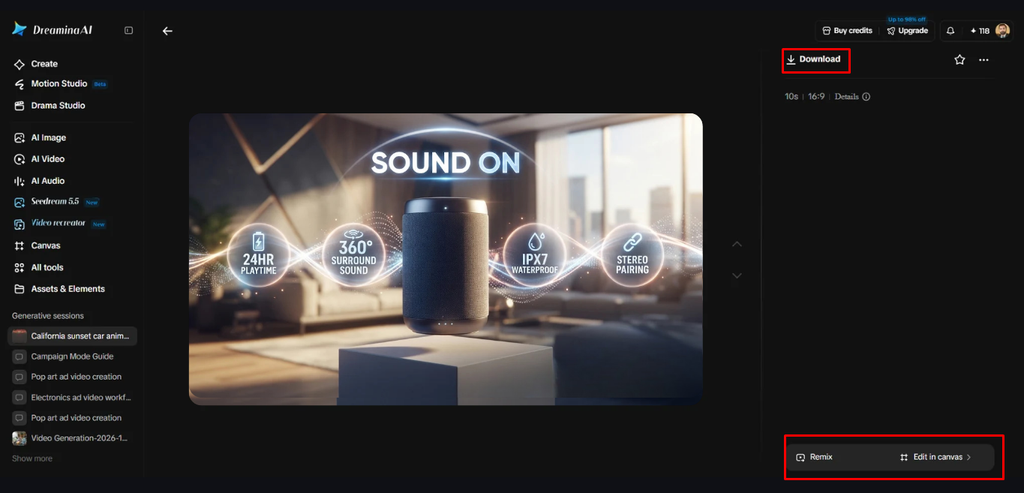
- Watch the finished video on full screen and check the product framing, delivery, and pacing.
- If you don’t like the results, click the “Remix” tab to refine the rhythm.
- You can edit the generated video using the “Edit in canvas” option with full freedom. Here you can replace the background, add effects, crop the video, and trim slow moments.
- Once you are satisfied with the result, click “Download” to save the video file. Share it across your marketing channels so your product message lands with the right timing.

Control the Pace of Product Features With Motion Design Techniques
There are several motion design techniques that make it easier to communicate product information. Gradual feature reveals present individual details in a gradual method to avoid info overload. Do not show all the specifications at once; rather, show them in bite-sized chunks. Strategic pauses provide extra time to allow viewers to process critical information. Sometimes it is useful to pause briefly after showing a key benefit to reinforce its impact. Coordinated transitions link to various features without causing the presentation to appear disjointed. This visual continuity between different parts is also enhanced by consistent transitions. Another way to identify main messages and supporting details is by the pace of the movement. The speed of the movement can create highlights of energy or highlight key product attributes. The Dreamina’s Motion Studio enables you to define these adjustments with the help of instructions. This helps to build up a balanced move without having to create each animation element manually.
Explore Different Product Animation Rhythms With Dreamina
The beat of the animation is dependent on the product and target audience. Minimalist rhythm features limited movement and ample pausing for clear performances. Cinematic rhythm puts together slow reveals and atmospheric transitions to tell the story. Editorial rhythm is the structuring of text, graphics, and information in visual sequences. 3D-inspired rhythm deals with 3D treatments and coordinated graphic motion. Promotional rhythm – Energetic transitions that emphasize product highlights and launch messages. Dreamina’s Motion Studio offers various visual directions such as minimalist, cinematic, editorial, and 3D-inspired. Styles and reference descriptions can be browsed before selecting. Prompts also direct the intended movement, pacing, colors, and visual hierarchy. The right rhythm is a way to ensure continuity of product identity and presentation.
Refine Product Animation Timing Through Conversational Instructions
The Coding Agent automatically creates and visualizes animation code from natural language inputs. This will enable you to tweak details in single animations without manually coding them. For instance, ask for an early product release or alter the sequence of features. Movement paths, animation speeds, and transition behaviour can also be adjusted. If a specification is too fleeting, ask for the time to display it to be extended. Likewise, limit unnecessary “breaks” to keep the momentum going between parts. Dreamina’s Motion Studio adds instructions to follow on the already created animation task. Individual movements are refined through repetition to a more consistent rhythm. But each change must be in the service of the product message. To test the readability, sequence, and visual balance of each revised result, preview it. This review is to ensure that important information is not lost in the process of improving movement.
Conclusion
Timing in animation and visual rhythm are important factors that determine the audience experience of product information. Features are easier to understand and remember due to carefully planned sequences. Communication is enhanced through gradual reveals, strategic pauses, and coordinated transitions. A good visual rhythm also links the product identity to the message being promoted. Dreamina’s Motion Studio offers a means to create these animations with natural-language instructions. It has a Coding Agent that takes care of code generation and rendering, and allows conversational refinement. For creating motion graphics that are more product-focused, you can carefully sequence it and preview it repeatedly.